COMPLETE DIGITAL ORGANIZATION SYSTEM

IS “GET DIGITALLY ORGANIZED” ON YOUR SUMMER TO-DO LIST?

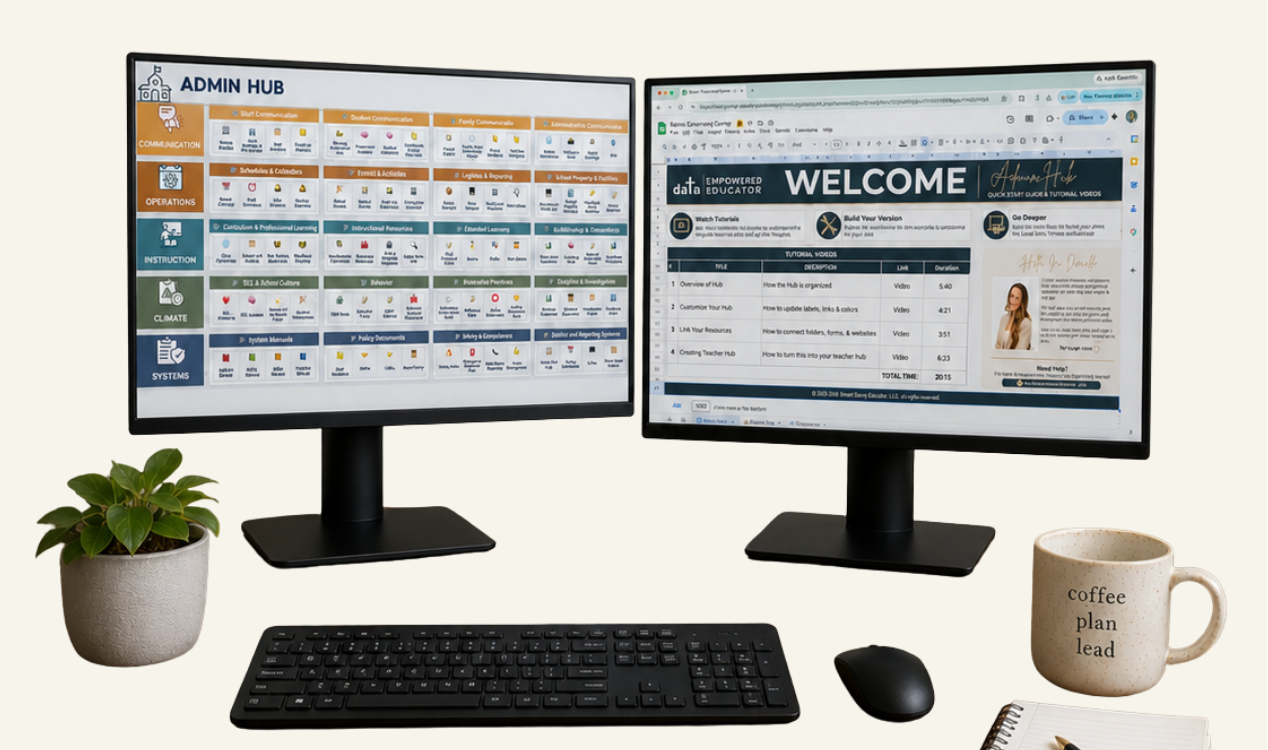
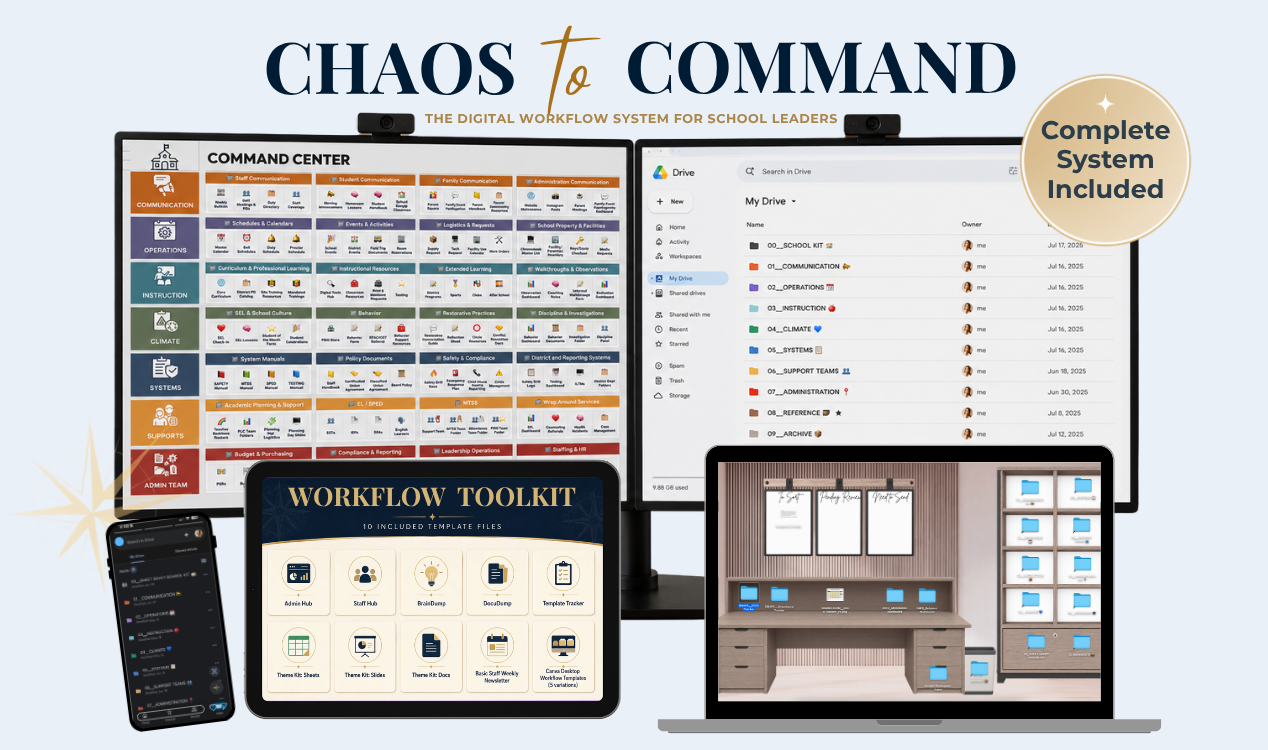
An Admin Hub gives you one place to access what you need. Chaos to Command helps you organize the Google Drive, files, templates, bookmarks and digital spaces behind it—so everything works together in one clear workflow. 

GET THE COMPLETE SYSTEM

Let Me Guess...

Your Google Drive is a mess.

Your files feel scattered across folders, bookmarks, emails, shared drives, etc..

Your digital space feels cluttered, chaotic, and overwhelming—but you do not have the time or energy to stop everything and figure out how to organize it.

You know you need a better system.

You just do not know where to start—or how to create one that will actually stay organized once the school year gets busy.

You do NOT need a summer-long folder-cleanup session or a prettier way to store the same scattered files.

You need a clear workflow for managing your entire digital landscape.
YES, THAT SOUNDS LIKE ME

Imagine how it would feel if you could...

Give every file a predictable home.

Create clear storage spaces for documents, links, resources, active work, and incoming files.

Find what you need more quickly

Stop checking Drive, email, Downloads, bookmarks, and open tabs for the same resource.

Open the right tabs without relying on memory

Use a repeatable workflow that keeps the tools and resources for each responsibility together.

Keep it organized when the school day gets chaotic

Use simple reset routines that help you recover quickly instead of starting over.


THAT SOUNDS AMAZING. SHOW ME HOW!

âťť
The goal is not to remember everything.

The goal is to build a system that remembers for you.

âťž


INTRODUCING

CHOAS TO COMMAND 


 The C.L.E.A.R. Admin Workflow Method

A practical system — without the overwhelm. You do not need to organize every old file one by one or spend your entire summer cleaning up Google Drive. Chaos to Command gives you a clear starting point and a step-by-step workflow you can build at your own pace.
CONTAIN
THE CHAOS

Create a clean
starting point
without sorting
every old file.

LEARN THE LANDSCAPE

Understand the
purpose of each
digital
space.

ESTABLISH NORTH STAR

Build one clear
command center
for your
work.

ALIGN THE WORKFLOW

Connect your
command center
to the systems
behind it.

REFINE & RESET

Create simple
routines that
keep the system
working.


SHOW ME WHAT'S INCLUDED!

An Admin Hub is Only the Beginning

A Hub gives you one place to start. A workflow turns it into a Command Center.

I'M READY TO BUILD A COMMAND CENTER!

What's Included? 

✓  ~2 Hours of step-by-step video training
Follow the complete C.L.E.A.R. Admin Workflow at your own pace, with practical guidance for organizing your Google Drive, desktop, Downloads, bookmarks, links, and active work. 
 
âś“ Focused lessons you can apply as you go
Move through the course in order or return to the specific digital space you need help with most.
 
✓ A workflow you can adapt to your role 
Learn the principles behind the system so you can adjust it as your responsibilities, school, or position change.
 
✓ [LAUNCH BONUS #1] Private Launch Community
Join a private Facebook group where you can ask questions, share organization ideas, and get support as you work through the course—so you do not have to build your system alone.
 
âś“ [LAUNCH BONUS #2] Two bonus trainings
Build a School Kit helps you optimize your workflow, while The Hidden Value in Your Workflow shows how the systems you create can serve a greater purpose and open the doors to future opportunities. 


Ready-to-Use Tools

You will not just learn the workflow. You will receive pre-made templates
that help you put it into action immediately. Use the tools that fit your role, Ă  la carte.

âś“ New & Improved Admin Hub
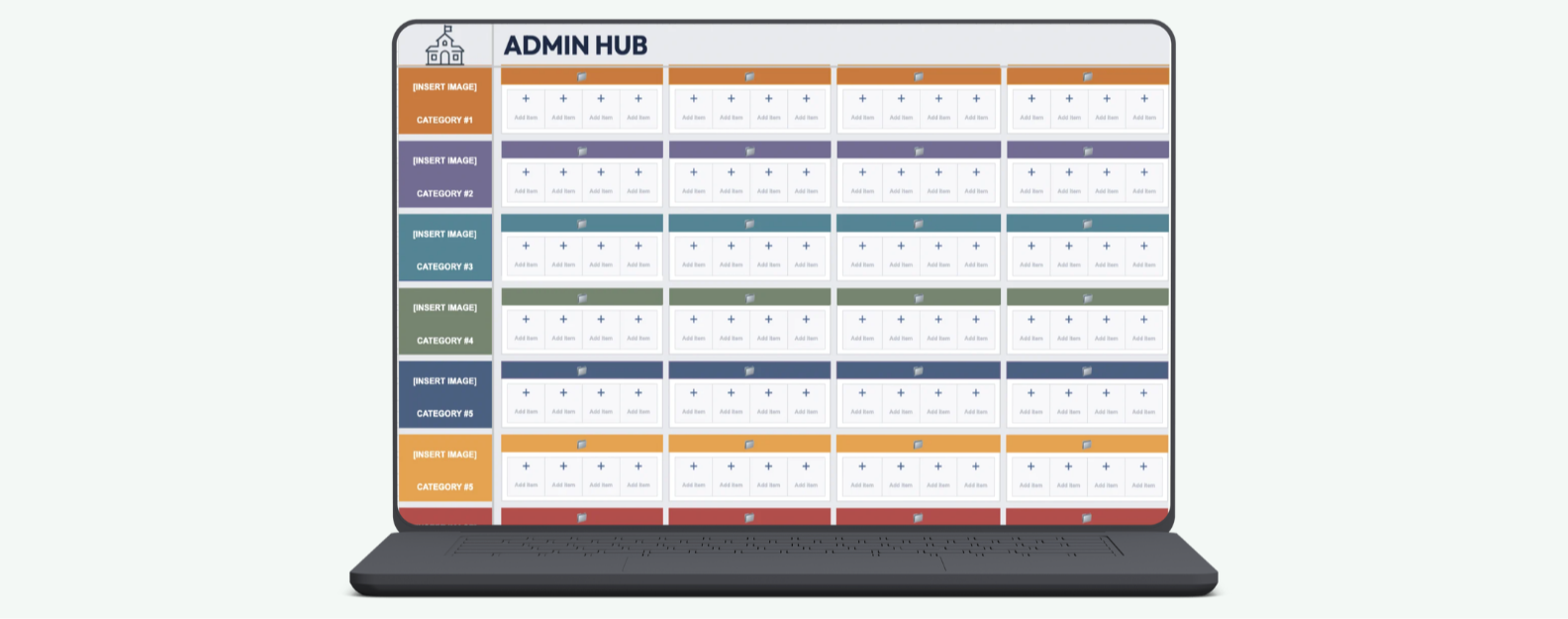
Build a customizable command center for your most-used files, links, tools, and resources—with room to easily add or adjust tiles. 
 
✓ BrainDump Template
Capture Facebook group ideas, email reminders, meeting notes, resources, and “I need to remember this” items before they disappear.
 
✓ DocuDump Template
Give district documents and incoming files a temporary landing place before deciding where they permanently belong.
 
âś“ Template Tracker
Keep track of the templates you create and use—and learn how they can serve a deeper purpose inside your workflow. 
 
âś“ Five Desktop Workflow Backgrounds
Organize active files, pending work, frequently used resources, and items ready to file away.  
 
âś“ Staff Hub Template
Create one central starting point for the links, documents, schedules, and resources your staff needs most.
 
âś“ Basic Staff Weekly Bulletin Template
See the workflow in action through a practical communication template you can customize for your team.
 
✓ [LAUNCH BONUSES] Three Bonus Theme Kits
Quickly create coordinated Google Sheets, Google Slides, and Google Docs files without designing each one from scratch.

SPECIAL LAUNCH PRICE: $37

OKAY, I'M IN!

Is this version for you?

Chaos to Command was created for school leaders who want a practical system they can customize and maintain--without starting from scratch.

This mini-course
is a strong fit if...

✅ You are a school administrator, instructional coach, coordinator, or educational leader

âś… You manage files, links, forms, trackers, and ongoing projects across multiple digital spaces.

âś… You use Google Drive or Google Workspace for at least part of your daily work.

âś… You prefer self-paced, step-by-step guidance.

This version may
not be the best fit if...

❌ You are looking for classroom-specific teacher examples and templates

❌ Your organization works entirely inside Microsoft 365 and you need click-by-click Microsoft tutorials

❌ You only want a new folder structure rather than a complete digital workflow

❌ You want someone else to organize your existing files for you


A Quick Note Before You Enroll

🍎 Teachers

The organization principles inside Chaos to Command can be adapted to a classroom workflow, but the examples, demonstrations, and templates in this version were created for school leaders.

A teacher-focused version is planned for July 2026.

✨NOTIFY ME WHEN THE TEACHER VERSION OPENS ✨→

đź’» Microsoft 365 Exclusive Users

The core workflow principles can transfer to OneDrive, SharePoint, Teams, Outlook, your Desktop and active files. However, the click-by-click demonstrations and included templates are primarily built for  Google Drive™ and Google WorkSpace™. 

This version is best for someone who uses Google for at least part of their work.

Why I Created Chaos to Command

My story, my struggle, and system I wish I had when I was a first year administrator.

I Knew How to Build Systems—
Just Not Across My Entire Digital Life

Organization did not look the same in every part of my work.

In my physical spaces, I was organized. (Okay, okay...I lost my radio sometimes). But when I managed a clearly defined process—like testing coordination—I was phenomenal at building systems, tracking details, preparing materials, and making sure every moving piece had a place.

But my broader digital workspace was another story.

I had created helpful tools as a teacher and instructional coach: digital material stations, a student-friendly Google Classroom, mastery trackers, PLC hubs, and systems for specific parts of my work.

What I did not have was one connected workflow for everything.

When I became a first-year administrator, the number of files, links, forms, trackers, district documents, shared resources, and active projects increased almost overnight. The systems that had worked within individual areas were no longer enough.

I did not need another set of folders. I needed to understand how all of my digital spaces were supposed to work together.

I wish someone had taught me that when I entered administration.

Chaos to Command is the resource I needed then—a practical, step-by-step way to apply systems thinking across your entire digital workflow.

YES, I NEED THIS TOO!

Let's Build a System That Actually Works for You

Everything That is Included:

Inside Chaos to Command, You'll Get:

✓ Nearly 2 hours of step-by-step video training

âś“ The complete C.L.E.A.R. Admin Workflow

âś“ New & Improved Admin Hub Template

âś“ Plug-and-play tools including BrainDump Template, DocuDump Template, and Template Tracker

âś“ Five Desktop Workflow Backgrounds, Staff Hub Template, and Basic Staff Weekly Bulletin Template


✨ BONUSES ✨

âś“ 3 Bonus Theme Kits (Google Sheets, Slides, & Docs)

✓ Bonus Training #1: How to Build a School Kit for Efficient Document Creation

 ✓ Bonus Training #2: The Hidden Value in Your Workflow (💸)

SPECIAL LAUNCH PRICE:

$37

One-time payment. Lifetime Access.

GET INSTANT ACCESS →

 READY TO GO FROM CHAOS TO COMMAND? 

Get Instant Access for $37. 

I'M READY TO GET MY DIGITAL LIFE ORGANIZED!